

How to Clean Your Email List for Better Marketing Results
Learn how to clean your email marketing list effectively. Discover strategies to remove invalid emails, improve deliverability, and boost your campaign performance.
A clean email list is the foundation of successful email marketing. In this guide, we'll show you how to clean your email marketing list effectively, remove invalid addresses, and improve your campaign performance.
Why Clean Your Email List?
Cleaning your email list provides numerous benefits:
- Improve deliverability: Remove invalid emails that cause bounces
- Save money: Don't pay for emails that never reach recipients
- Better metrics: Get accurate open and click rates
- Protect reputation: Maintain a good sender reputation
- Higher ROI: Focus on engaged, active subscribers
📊 Impact
List cleaning removes known bad destinations, but the effect varies by list source and sending practices. Compare bounce and engagement trends before and after each cleanup.
Step-by-Step Email List Cleaning Process
Step 1: Verify Email Addresses
Start with format validation and provider-appropriate checks. For Gmail addresses, use GMCheck to review Gmail-specific account statuses.
- Remove disabled and unregistered emails immediately
- Keep "verify required" emails in a separate list
- Focus on maintaining "live" emails in your active list
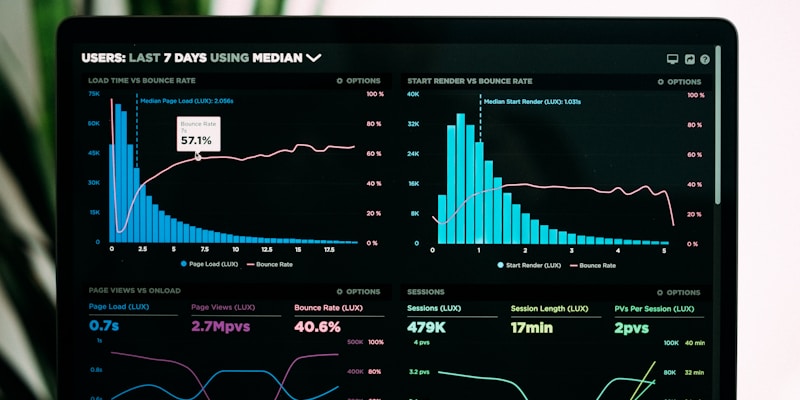
Regular email list cleaning improves campaign performance
Step 2: Remove Inactive Subscribers
Identify subscribers who haven't engaged with your emails in the last 6-12 months:
- No opens in 6+ months
- No clicks in 12+ months
- Never engaged with any campaign
Step 3: Segment Your List
Organize your cleaned list into segments:
- Active subscribers: Engaged users who open and click regularly
- At-risk subscribers: Low engagement, consider re-engagement campaigns
- New subscribers: Recently joined, nurture with welcome series
Best Practices for Email List Cleaning
- Clean regularly: Verify your list every 3-6 months
- Remove bounces immediately: Don't let hard bounces accumulate
- Use double opt-in: Ensure subscribers want to receive emails
- Monitor engagement: Track opens, clicks, and unsubscribes
- Re-engage before removing: Send win-back campaigns to inactive users
✅ Pro Tip
Before removing inactive subscribers, consider a consent-aware re-engagement campaign and keep only recipients who clearly opt to remain.
What to Remove from Your List
❌ Remove Immediately
- Disabled email addresses
- Unregistered email addresses
- Hard bounces (permanent failures)
- Spam complaints
⚠️ Review and Consider Removing
- Inactive subscribers (no engagement in 12+ months)
- Soft bounces (temporary failures, retry 3 times)
- Unsubscribed users (if not already removed)
Maintaining a Clean List
After cleaning, maintain your list with these practices:
- Verify new emails at point of collection
- Remove bounces within 24 hours
- Compare unsubscribe rates with your historical baseline
- Track engagement metrics monthly
- Re-verify your list quarterly
Conclusion
Cleaning your email marketing list can reduce avoidable bounces and make reporting more useful. For the Gmail segment, GMCheck helps identify accounts that are not currently usable; it does not guarantee delivery or engagement.
Start cleaning your email list today and see the immediate impact on your email marketing performance!
Ready to Clean Your Email List?
Review the Gmail addresses in your list with GMCheck
Clean Your List NowFrequently Asked Questions
How often should I clean my email list?
Set a cadence based on list age, source, and sending frequency. Review dormant lists before reactivation, before important campaigns, and after an unusual increase in bounces.
What should I remove from my email list?
Remove disabled and unregistered email addresses immediately. Also remove hard bounces (permanent failures) and spam complaints. Consider removing inactive subscribers (no engagement in 12+ months) after sending a re-engagement campaign.
Should I remove inactive subscribers?
Consider a consent-aware re-engagement campaign first. Suppress recipients who do not respond according to your retention policy, and always honor unsubscribes immediately.
How do I segment my cleaned email list?
Organize your cleaned list into segments: Active subscribers (engaged users), At-risk subscribers (low engagement, consider re-engagement), and New subscribers (recently joined, nurture with welcome series).
What's a good unsubscribe rate?
There is no universal healthy unsubscribe rate. Compare it with your historical baseline, campaign type, and provider guidance; investigate meaningful increases in content, frequency, or targeting.
Related Posts

Why Email Verification is Important: Benefits & ROI
Discover why email verification is crucial for your business. Learn about the benefits, ROI, and how it improves your email marketing campaigns and sender reputation.

How to Verify Gmail Email Address - Complete Guide 2026
Learn step-by-step how to verify Gmail email addresses, check if emails exist, and understand different email statuses. Complete guide with tips and best practices.

Email Verification Best Practices: Complete Guide 2026
Discover the best practices for email verification to improve deliverability, reduce bounces, and maintain a healthy email list. Expert tips and strategies.