

Bulk Email Verification: Tips and Tricks for Large Lists
Master bulk email verification with expert tips. Learn how to efficiently verify large email lists, optimize the process, and get the best results.
Verifying large email lists can be challenging, but with the right strategies and tools, you can efficiently clean thousands of emails. In this guide, we'll share expert tips and tricks for bulk email verification that will help you optimize the process and get the best results.
Why Bulk Email Verification Matters
Bulk email verification is essential for:
- Maintaining large email lists (10,000+ addresses)
- Cleaning legacy lists with unknown quality
- Preparing for major email campaigns
- Complying with email marketing regulations
- Protecting sender reputation at scale
📊 Scale Impact
The value of verification depends on list quality and sending costs. Measure invalid-address counts and avoided sends using your own campaign data.
Pre-Verification Preparation
1. Format Your List
Before verification, ensure your email list is properly formatted:
- One email per line
- No extra spaces or special characters
- Remove headers if exporting from CSV
- Clean up obvious typos manually
2. Remove Duplicates First
Use GMCheck's Duplicate Filter to remove duplicates before verification:
- Save verification credits
- Reduce processing time
- Get cleaner results
- Identify case variations
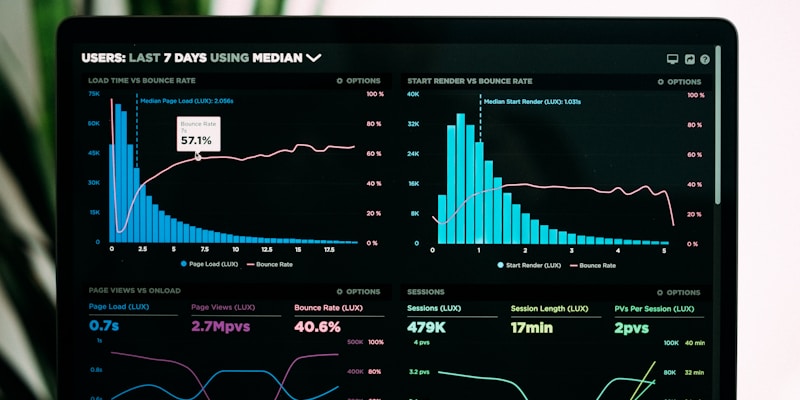
Proper preparation ensures efficient bulk verification
Bulk Email Verification Best Practices
1. Verify in Batches
For very large lists (50,000+), verify in smaller batches:
- Process 10,000-20,000 emails at a time
- Review results before continuing
- Adjust strategy based on results
- Prevents timeouts and errors
2. Use the Right Tools
Choose bulk email verification tools that support bulk processing:
- High processing limits (10,000+ per batch)
- Fast processing speed
- Detailed status reporting
- Export options (CSV, JSON, TXT)
- API access for automation
✅ Recommended Tool
GMCheck Premium supports up to 200,000 input lines per Gmail check. Learn more about email verification best practices.
Results include detailed Gmail account statuses and text export options.
3. Monitor Progress
During bulk verification, monitor:
- Processing speed and time remaining
- Percentage of invalid emails found
- Status breakdown (Live, Disabled, Verify, Unregistered)
- Any errors or timeouts
Post-Verification Actions
1. Analyze Results
After verification, review your results:
- Calculate percentage of valid vs invalid emails
- Identify patterns (e.g., certain domains have higher invalid rates)
- Review "verify required" emails
- Check for any unexpected results
2. Segment Your List
Organize verified emails into segments:
- Active list: Live emails ready for campaigns
- Pending list: Verify required emails (retry later)
- Suppression list: Disabled and unregistered (never send)
3. Export and Update
Export your cleaned list and update your email marketing platform:
- Export live emails to your marketing platform
- Update suppression lists
- Save results for future reference
- Document verification date and results
Optimization Tips
- Verify during off-peak hours: Faster processing when servers are less busy
- Use API for automation: Integrate verification into your workflow
- Schedule regular verification: Don't wait until your list is too large
- Combine with other tools: Use duplicate filter and formatting tools first
- Track costs: Monitor verification expenses and optimize batch sizes
Common Mistakes to Avoid
- Verifying without removing duplicates first
- Processing too many emails at once (causes timeouts)
- Not saving results before closing the tool
- Ignoring "verify required" emails
- Not updating your marketing platform after verification
Conclusion
Bulk email verification is a critical process for maintaining large email lists. By following these tips and using the right tools like GMCheck, you can efficiently verify thousands of emails and maintain a clean, effective email marketing list.
Start verifying your bulk email list today and see the immediate improvement in your email marketing performance!
Ready to Verify Your Bulk Email List?
Start bulk verification with GMCheck today
Start Bulk VerificationFrequently Asked Questions
How many emails can I verify at once?
GMCheck Premium supports up to 200,000 input lines per check. You can split very large Gmail lists into smaller jobs to review results incrementally.
Should I remove duplicates before verification?
Yes! Always remove duplicates before verification using GMCheck's Duplicate Filter. This saves verification credits, reduces processing time, and gives you cleaner results.
How long does bulk verification take?
Processing time depends on the number of Gmail addresses, queue activity, and account status checks. Follow the job progress in GMCheck instead of relying on a fixed completion estimate.
What format should my email list be in?
Your email list should be formatted with one email per line, no extra spaces or special characters. Remove headers if exporting from CSV. Clean up obvious typos manually before verification.
What should I do with 'Verify Required' emails after bulk verification?
Move 'Verify Required' emails to a separate 'pending verification' list. Retry verification after 30 days. Some may become active after user verification. Don't send campaigns until status changes.
Related Posts

How to Verify Gmail Email Address - Complete Guide 2026
Learn step-by-step how to verify Gmail email addresses, check if emails exist, and understand different email statuses. Complete guide with tips and best practices.
Gmail Statuses: Live, Disabled, Verify, Unregistered
Understand what different Gmail account statuses mean. Learn about Live, Disabled, Verify, and Unregistered statuses and how they affect email delivery.

Email Verification Best Practices: Complete Guide 2026
Discover the best practices for email verification to improve deliverability, reduce bounces, and maintain a healthy email list. Expert tips and strategies.